The Best Budget Gaming Laptops You Can Buy in 2026 Without Overspending
- Electronics Featured Gadgets Games Latest Technology
Aayushi
- 0
- 34 minutes read
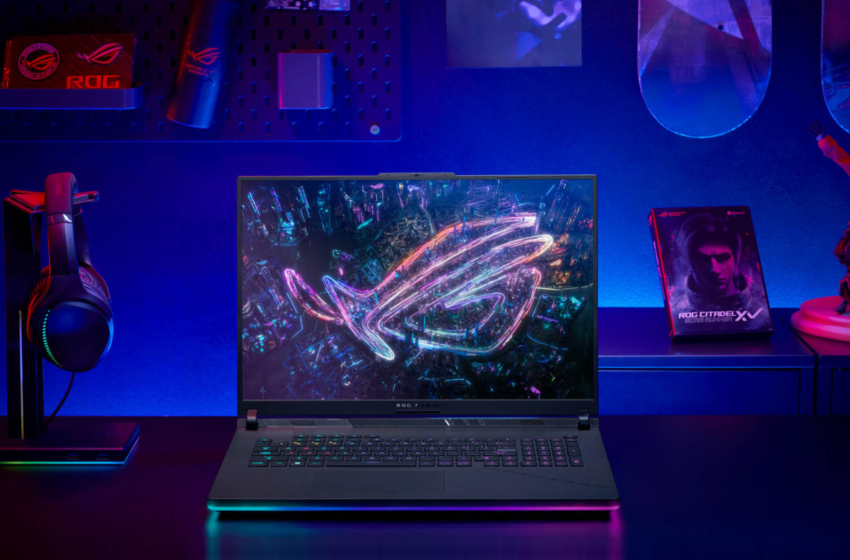
Finding the best budget gaming laptops in 2026 feels a bit like trying to find a legendary drop in an RPG—it requires patience, strategy, and knowing exactly where to look. With technology moving at breakneck speed, you no longer have to drop a fortune to get a machine that handles AAA titles with ease. Whether you are an aspiring esports pro or someone who just wants to unwind with some high-def questing after work, the current market offers incredible value.
The secret to buying a gaming laptop without overspending in 2026 lies in balancing raw power with efficient design. You are looking for that “sweet spot” where the processor doesn’t bottleneck the GPU, and the cooling system keeps everything from melting during an intense session. This guide breaks down five of the top contenders currently dominating the affordable gaming laptop segment, ensuring you get the most frames per second for every rupee spent.
1. HP Victus 15-fa2191TX (Performance Blue)
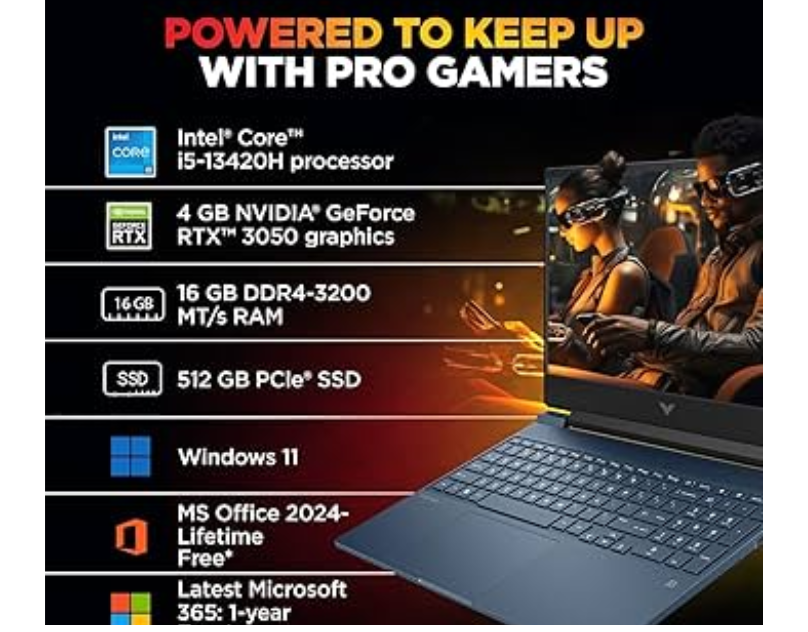
If you are looking for an entry point into the world of PC gaming, the HP Victus 15-fa2191TX is a standout choice for budget-conscious gamers. It sports a sleek “Performance Blue” finish that looks professional enough for a classroom or office while hiding the heart of a gaming beast. At a price point of ₹80,739, it offers a solid foundation for anyone starting their journey.
- Processor: 13th Gen Intel Core i5-13420H (8 cores, 12 threads).
- Graphics: NVIDIA GeForce RTX 3050A (4GB GDDR6).
- Memory & Storage: 16GB DDR4 RAM and a 512GB PCIe Gen4 NVMe SSD.
- Display: 15.6-inch FHD IPS panel with a 144Hz refresh rate.
- Battery: 3-cell, 52.5 Wh Li-ion with fast charge support (50% in 30 mins).
This laptop is designed to handle popular competitive games like Valorant or Counter-Strike 2 without breaking a sweat. The 144Hz display ensures that your visuals remain fluid, giving you a slight edge in reaction time. While the RTX 3050A is an entry-level card, it supports modern features that keep your gameplay smooth. Additionally, the upgradable RAM and storage mean you can keep this machine relevant for years to come as your library grows.
Pros:
- Highly affordable gaming laptop price for the specs provided.
- The fast charging capability is a lifesaver for mobile users.
- Excellent aesthetic that balances gaming flair with professional looks.
Cons:
- The 4GB VRAM might struggle with ultra-settings on the newest AAA games.
- The 62.5% sRGB coverage isn’t ideal for professional photo editing.
2. Lenovo LOQ 13th Gen (Luna Grey)
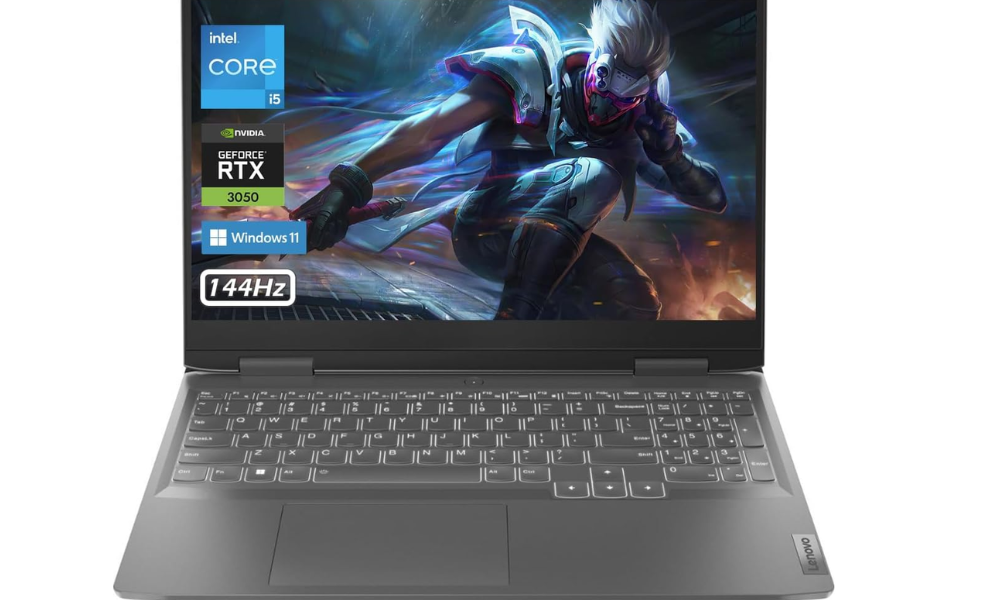
Stepping up slightly in the mid-range budget gaming category, the Lenovo LOQ is a powerhouse that brings premium features to a more accessible price point. Priced at ₹97,991, it focuses on thermal efficiency and build quality. It is a fantastic option if you want a machine that feels sturdy and can handle longer gaming marathons without thermal throttling.
- Processor: Intel Core i5-13450HX (High-performance hybrid architecture).
- Graphics: NVIDIA GeForce RTX 3050 with 6GB GDDR6 VRAM.
- Memory: 16GB DDR5-4800MT/s (Faster than traditional DDR4).
- Display: 15.6-inch FHD with 100% sRGB color accuracy.
- Extras: 4-zone RGB backlit keyboard and Accidental Damage Protection.
The inclusion of DDR5 RAM and the HX-series processor makes this laptop a productivity monster alongside its gaming prowess. You will notice much snappier performance when multitasking or rendering video. The 6GB VRAM on the GPU is a significant upgrade over 4GB models, allowing you to turn up texture qualities in modern titles. Plus, the 100% sRGB display means colors will look exactly as the developers intended, making it a great choice for gaming and content creation.
Pros:
- Superior color accuracy for the price range.
- The DDR5 memory provides a noticeable speed boost.
- Comes with 1-year Accidental Damage Protection for peace of mind.
Cons:
- Slightly heavier than some ultra-portable options.
- The 170W power adapter is somewhat bulky for travel.
3. ASUS TUF Gaming F16 (2026 Edition)
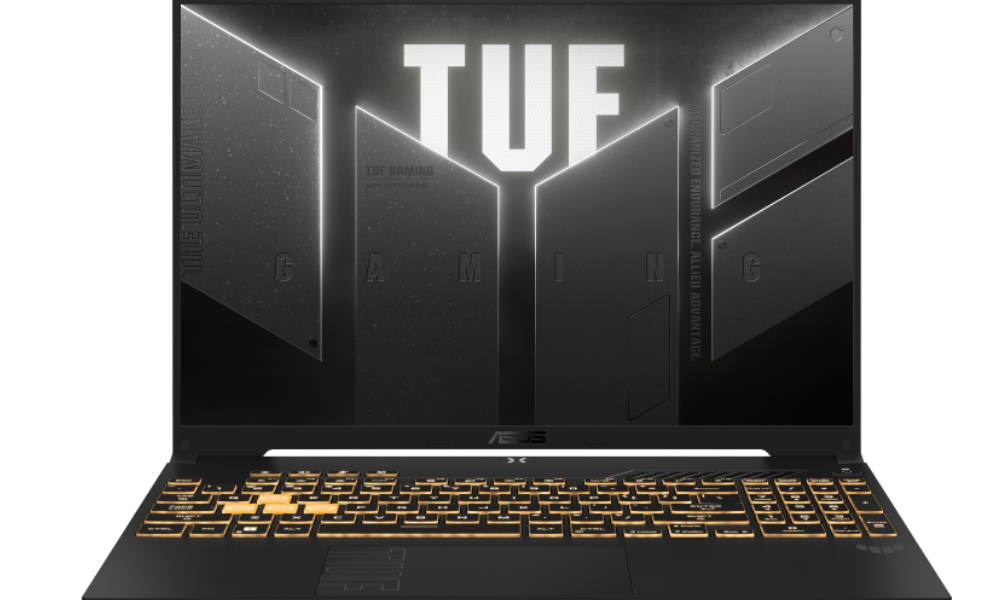
The ASUS TUF Gaming F16 is built like a tank and performs like one too. If you are prone to taking your laptop on the road or just want something that can survive the occasional bump, this military-grade gaming laptop is your best bet. At ₹97,990, it introduces the NVIDIA RTX 4050, which brings the magic of DLSS 3.5 and frame generation to your fingertips.
- GPU Power: NVIDIA GeForce RTX 4050 (6GB) with a high TGP of 140W.
- Screen: 16-inch FHD+ display with a 16:10 aspect ratio.
- Durability: Tested against MIL-STD-810H military standards.
- Cooling: Features a MUX Switch and NVIDIA Advanced Optimus for better battery/performance balance.
- Charging: USB-C fast charging and a large 16-inch canvas for immersive play.
The 16:10 aspect ratio is a game-changer for you. It provides more vertical screen real estate, which is incredibly helpful when you are browsing the web or working on documents. Because it uses the RTX 40-series GPU, you can use AI-enhanced graphics to boost your frame rates in supported games significantly. This makes the F16 one of the best value gaming laptops for future-proofing, as Frame Generation helps the hardware stay relevant longer.
Pros:
- The RTX 4050 offers modern AI features like DLSS 3.
- Incredible chassis durability for daily commuters.
- The FHD+ 16:10 screen is great for both work and play.
Cons:
- The Intel Core 5 210H is efficient but not the most powerful in the lineup.
- Fan noise can become noticeable during the “Turbo” performance mode.
4. ASUS TUF Gaming A14 (Ultra-Portable)
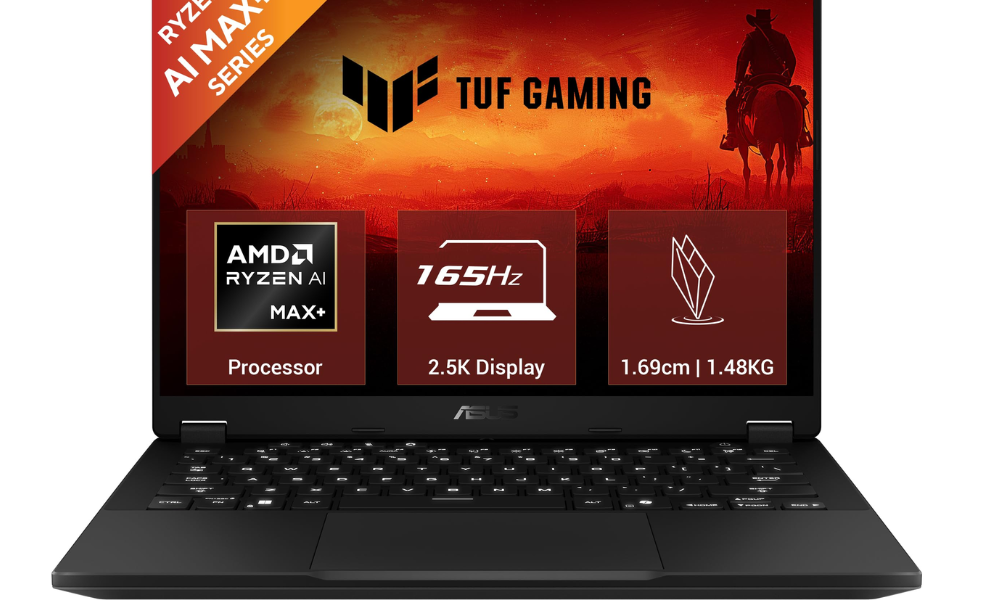
If you have ever felt that gaming laptops are too “chonky,” the ASUS TUF Gaming A14 is here to change your mind. It is an ultra-portable gaming laptop that weighs only 1.48kg. Don’t let the small size fool you; it is packed with the latest AMD Ryzen AI technology, making it a smart choice for those interested in the burgeoning world of AI-powered gaming PCs.
- Processor: AMD Ryzen AI Max+ 392 (12-core Zen 5 architecture).
- Graphics: AMD Radeon 8060S integrated graphics with unified memory.
- Portability: Only 1.69cm thin and 1.48kg in weight.
- Display: 14-inch 2.5K resolution (2560×1600) at 165Hz.
- Memory: Ultra-fast LPDDR5X 8000MT/s memory.
This laptop is perfect for you if you are a student or a digital nomad. It utilizes a unified memory architecture, meaning the high-speed RAM is shared between the CPU and the GPU. This makes it incredibly efficient, allowing for a 73Wh battery that lasts much longer than traditional gaming rigs. The 2.5K display is the sharpest on this list, offering stunning clarity for movies and creative projects. It is a true Copilot+ PC designed for the future of computing.
Pros:
- Exceptional portability for a gaming-capable machine.
- Stunning 2.5K 165Hz display with 100% sRGB.
- Cutting-edge Ryzen AI capabilities for modern software.
Cons:
- Uses integrated graphics (though very powerful), which might lag behind top-tier dedicated GPUs in raw 4K gaming.
- The 14-inch screen might feel small for those used to larger monitors.
5. HP Victus 15-fa2381TX (Mica Silver)
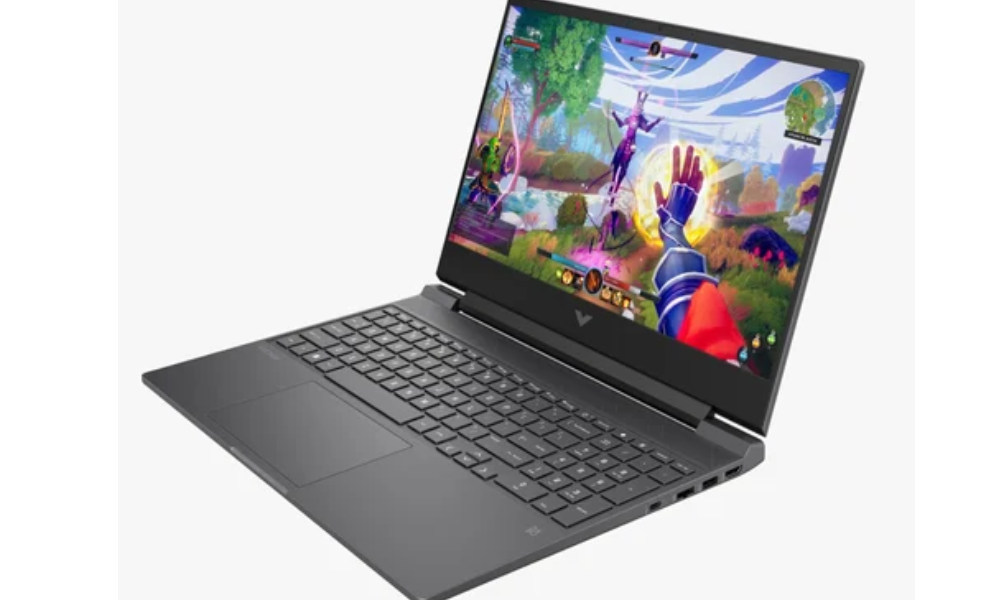
The HP Victus 15-fa2381TX caters to gamers who need top performance on a tight budget. At ₹104,119, this laptop stands as the larger model in the Victus line, boasting a 6GB RTX 4050 and a beefier 70Wh battery. It aims to give smooth 1080p gaming in all new games without breaking the bank.
- Graphics: NVIDIA GeForce RTX 4050 (6GB dedicated GDDR6).
- Battery: 4-cell 70 Wh battery to keep you unplugged longer.
- Storage: 512GB PCIe Gen4 SSD with a spare M.2 slot to add more.
- Cooling: Heat management system with a Mica Silver finish
- Connectivity: Wi-Fi 6 and Bluetooth 5.4 for quick online gaming.
When you fire up tough games like Cyberpunk 2077 or Starfield, the extra 2GB of VRAM (compared to the basic Victus) shines. You’ll see fewer hiccups and smoother frame rates. The 70Wh battery is a big step up too letting you game on the go without always hunting for an outlet. This laptop hits the sweet spot for up-and-coming gamers who want to jump into the newest releases without lag.
Pros:
- Strong RTX 4050 performance for 1080p gaming.
- Dual M.2 slots make upgrading storage a breeze.
- Larger 70Wh battery compared to many budget competitors.
Cons:
- Price is at the higher end of the “budget” spectrum.
- The DDR4-3200 memory is slower than the DDR5 found in newer competitors.
Choosing the Right Laptop for Your Needs
When choosing a gaming laptop, it’s important to look beyond the specs. You have to think about how your laptop will fit into your daily life. If you don’t think you will be moving the laptop very often, the Lenovo LOQ and the HP Victus 15 (Mica Silver) have the screen sizes and thermal performance for immersive gaming sessions. Their extra weight won’t matter when they are plugged into the wall.
On the other hand, if your routine includes a lot of travel between home, a coffee shop, and the office, you will want to prioritize a laptop with a better battery life and one that is lighter. In that case, the ASUS TUF Gaming A14 is a great option. The Ryzen AI processor is efficient, so you can do your classwork and gameplay in the evening without having to look for an outlet.
Last of all, it’s worth considering future-proofing. A laptop that can have its RAM and SSD upgraded is worth its weight in gold. This is because games are becoming more demanding. The ability to add another 16GB of RAM or 2TB SSD for under 5000 rupees is a better deal than needing to buy a new laptop. Laptops such as the ASUS TUF F16 have large storage expansion options of up to 4TB, meaning you will never have to delete your favorite games to free up space.
Key Considerations Before You Buy
Before you click “Buy Now,” you might want to take a look at the display specs. A high refresh rate and poor color accuracy are a popular ticking trap on cheap gaming laptops. If all you’re interested in are competitive shooters, a 144Hz screen with 62% sRGB is absolutely fine. But if you’re into open-world RPGs with breathtaking scenery, or if you dabble in creative work, you’ll see a lot more benefit from the 100% sRGB displays available on the Lenovo LOQ and the ASUS TUF A14.
Also, pay attention to the TGP (Total Graphics Power) of the GPU. Not all RTX 4050s are created equal. A laptop that allows the GPU to draw more power (like the 140W on the TUF F16) will perform better than a slim laptop where the GPU is limited to 60W to prevent overheating. Choosing the right power balance ensures you are actually getting the performance you paid for.
Frequently Asked Questions
A: By 2026, 8GB of RAM won’t be enough for smooth gaming. Most new AAA games and multitasking apps usually need at least 16GB to run well without lag. You might still find laptops with 8GB, but going for 16GB helps avoid slowdowns and crashes.
A: TGP, or Total Graphics Power, shows how much power a laptop’s graphics card can use to deliver performance. For example, an RTX 4050 with a high TGP of around 140W can perform better than a pricier GPU limited to 60W because of weaker cooling.
A: If your budget allows, it’s better to go with the RTX 4050. It supports DLSS 3.0 Frame Generation, which boosts FPS a lot in newer games. The RTX 3050 still works fine for 1080p gaming on a budget, but the 4050 offers better performance and is more ready for future games.
A: The NPU is getting more important as games in 2026 use more AI features like noise cancellation and eye-tracking, taking some load off the CPU and GPU. Having a processor that can handle over 40 TOPs helps your laptop support advanced Windows Copilot+ gaming features.
A: The budget gaming laptops focus on high-end parts such as dedicated GPUs and powerful cooling fans which eat up far more energy than standard office notebooks. Due to a notably massive 70Wh battery, gaming on this laptop will usually be limited to 2 to 4 hours before needing to plug in.
A: Absolutely, most budget gaming laptops make for a fantastic option when it comes to creative work. This is because apps like Premiere Pro benefit significantly from a dedicated NVIDIA or AMD graphics card, as those cards really speed up rendering times. To achieve pro-level result, ensure the laptop has 100% sRGB display so you can see the colors exactly as the creator intended.
Last Updated on: March 24, 2026