Hostinger Review 2026: Is It Still the Best Cheap Web Hosting for Beginners and Bloggers?
- Hosting Technology
 Editorial Team
- 0
- 24 minutes read
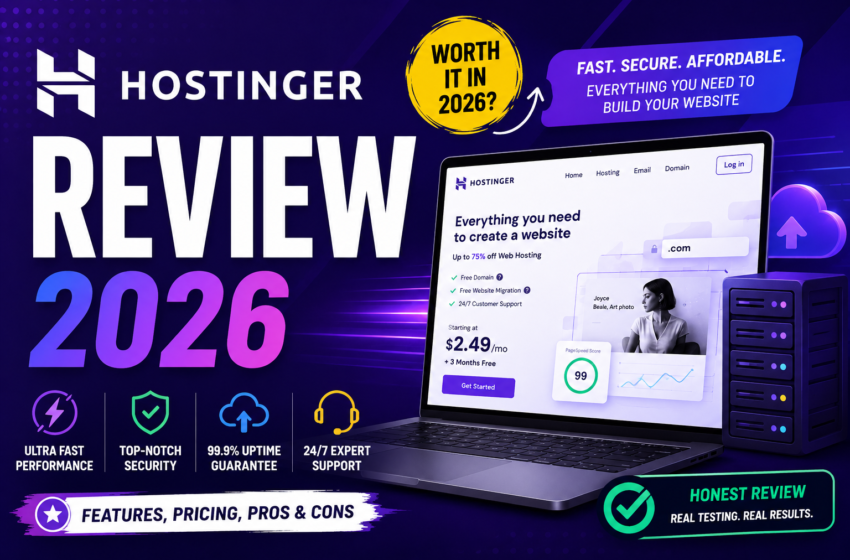
Hostinger review 2026: Hostinger is a budget-friendly web hosting provider running LiteSpeed servers, an AI-powered website builder, and a beginner-friendly hPanel dashboard. Plans start under $2.99 a month during promotional periods, making it one of the most searched cheap web hosting options for new bloggers, small businesses, and affiliate marketers this year.
If you’ve spent any time comparing best web hosting for beginners, Hostinger’s name comes up almost immediately, and for good reason. The platform trims away the intimidating server jargon that scares off first-time website owners, replacing it with guided setup flows and an AI website builder that can spin up a working site in minutes. For anyone testing whether Hostinger is good for WordPress beginners, that low barrier to entry is usually the deciding factor, well before anyone starts comparing storage limits or bandwidth caps.
Of course, “cheap” only tells half the story. What actually matters is what you get once the introductory discount wears off, and how the infrastructure performs under real traffic. This review breaks down Hostinger pricing 2026, its LiteSpeed and NVMe-backed server stack, and where it genuinely holds up against rivals. If you’re weighing multiple providers side by side, our detailed Bluehost Review 2026 looks at how that comparison plays out for shared hosting shoppers specifically.
What Is Hostinger, Exactly?
Hostinger is a Lithuania-founded web hosting company that has grown into one of the larger budget hosting brands worldwide, serving millions of websites across shared, cloud, WordPress-optimized, and VPS environments. Its pitch has always centered on affordability without stripping out the features smaller providers charge extra for, things like free SSL, a free domain on longer plans, and a website builder bundled into every tier. In 2026, that pitch has expanded to include AI tooling layered on top of the same core infrastructure, which is really the story of how the platform has evolved rather than a reinvention of it.
Key Features That Matter in 2026
AI & Assistant Integration
Hostinger has leaned hard into AI-assisted management this year. Kodee, its in-dashboard AI troubleshooter, walks users through common issues — DNS propagation delays, email deliverability problems, SSL misconfigurations — instead of sending them to a support ticket queue. Alongside it sits the newer “Vibe Sysadmin” assistant, an MCP-style tool built for more technical users who want natural-language control over server tasks.
- Kodee handles first-line troubleshooting for non-technical users
- Vibe Sysadmin targets developers who’d rather describe a task than click through menus
- Both sit on top of hPanel rather than replacing it
Server Infrastructure
Under the hood, Hostinger runs LiteSpeed Web Server across its hosting stack, which is generally faster than standard Apache setups for cached content. Higher-tier plans add NVMe storage, and the company operates data centers spread across multiple regions so customers can pick a location closer to their audience.
- LiteSpeed Web Server with built-in caching (LSCache)
- NVMe SSD storage on Premium and Business tiers
- Multiple global data center locations to reduce latency
Website Builder Capabilities
The AI website builder generates a starting layout from a short text prompt, which is genuinely useful for someone who has no design background. It’s paired with a custom logo maker and e-commerce tools that plug into WooCommerce for anyone planning to sell products rather than just publish content.
- AI builder creates a draft site from a prompt in minutes
- Free logo maker included across current plans
- Native WooCommerce and store-building integrations
Hostinger Pricing 2026 — What You Actually Pay
This is where a lot of hosting reviews get lazy, so it’s worth being direct. The advertised rates you’ll see, often somewhere between $1.99 and $2.39 a month, are promotional prices tied to longer commitment terms, usually 24 or 48 months, paid upfront. They are not flat, ongoing rates, and treating them as such sets unrealistic expectations. Renewal pricing after that first term is noticeably higher, sometimes two to three times the introductory rate, which is a pattern across nearly every budget host, not unique to Hostinger, but still worth knowing before you commit years of payment at once.
What softens that a little is the bundling: a free domain for the first year on annual-or-longer plans, free SSL for the life of the plan, and business email included on mid-tier and higher plans, which some competitors still charge separately for. If pricing is the deciding factor for you, it’s worth checking Hostinger’s live checkout page directly, since promotional campaigns shift often enough that any number printed here could be outdated within weeks.
Performance — Speed, Uptime, and Real-World Numbers
Independent speed tests on Hostinger’s shared and cloud plans typically report time-to-first-byte in the low-to-mid hundreds of milliseconds once LSCache is properly configured, with GTmetrix and similar tools generally placing fully-loaded page times under two seconds for a reasonably optimized WordPress site. Uptime across most third-party monitoring reports tends to sit at or above the 99.9% mark, in line with what the hosting tier’s service level commitments promise.
Those numbers matter less in isolation than in context: a beginner running an unoptimized theme with a dozen unnecessary plugins won’t see those speeds regardless of the server underneath them. LiteSpeed’s caching layer helps close that gap, but it isn’t a substitute for basic site hygiene — image compression, a lean plugin list, and a decent theme still do most of the heavy lifting.
hPanel vs. cPanel — Why the Difference Matters
Anyone coming from a host that uses cPanel will notice hPanel feels different on first login, and that trips people up more than it should. cPanel has been the industry default for two decades, so plenty of tutorials and support forums assume you’re using it. hPanel is Hostinger’s own custom-built control panel, and while it covers the same core ground — domains, email, file management, databases — it’s organized around task-based flows rather than cPanel’s grid of icons.
In practice, that means hPanel is often easier for someone setting up their first site, since it walks you toward a goal (“connect a domain,” “install WordPress”) rather than expecting you to know which icon does what. The trade-off is that if you’re following an older tutorial written for cPanel, the steps won’t map one-to-one, and you’ll need to translate as you go.
Who Hostinger Is Actually Built For
Hostinger isn’t trying to be everything to everyone, and it’s more useful to know upfront who it fits best.
- First-time website owners and beginners who want guided, no-code setup rather than raw server access
- Budget-conscious bloggers and small business owners who need a low-cost start with a free domain and business email bundled in
- Affiliate and niche marketers running quick WordPress deployments who care more about launch speed than deep server customization
- Entry-level developers and gamers exploring KVM VPS plans or Minecraft server hosting without wanting to manage bare-metal infrastructure
Hostinger vs. Competitors
Hostinger
Hostinger’s strongest case is value density: LiteSpeed performance, an AI builder, and business email bundled into plans that undercut most rivals on introductory price. It’s built for people who want to launch fast without learning server administration.
- Best for: beginners, bloggers, affiliate sites
- Watch for: renewal price increases after year one
Bluehost
Bluehost has long been WordPress.org’s recommended host, and that endorsement still carries weight for beginners specifically pointed toward WordPress. It leans more traditional, cPanel-based, with solid onboarding but fewer AI-driven extras than Hostinger currently offers. How Hostinger compares to Bluehost really comes down to whether you value AI tooling or the WordPress-specific legacy support Bluehost has built its reputation on.
- Best for: WordPress-first beginners wanting official backing
- Watch for: higher renewal rates and limited free-tier storage
Other Budget Alternatives
Providers like Namecheap and IONOS round out the budget tier, generally competing on domain bundling and simple pricing rather than AI features. They’re worth a glance if hPanel’s task-based workflow doesn’t suit you, though neither currently matches Hostinger’s LiteSpeed-plus-NVMe combination at the same price point.
- Best for: shoppers prioritizing domain-and-hosting bundles
- Watch for: fewer AI or automation tools overall
Where Hostinger Falls Short
No review earns trust by only listing positives, so here’s what genuinely holds Hostinger back:
- Renewal pricing jump: the multi-year discount model means your second term costs meaningfully more, and it’s easy to forget that when you sign up
- No phone support: help comes through live chat and the Kodee AI assistant, not a phone line, which won’t suit everyone during a live-site emergency
- Unmanaged VPS limitations: Hostinger’s cheaper VPS tiers are unmanaged, so anyone without server administration experience will need to handle security patches and configuration themselves, or budget for managed support elsewhere
Free Domain, Business Email, and Bundled Extras
The bundling is genuinely one of Hostinger’s better arguments for beginners specifically. A free domain on annual-or-longer commitments removes one of the first costs a new site owner runs into, and business email included on mid-tier plans saves a separate subscription many competitors charge for individually. If you’re still comparing where to register a domain versus where to host, our roundup of the Best Domain Registrars & Hosting Services walks through how bundled deals like this stack up against buying each piece separately.
Final Verdict — Is Hostinger Worth It in 2026?
Hostinger earns its reputation as a strong entry point for beginners, budget bloggers, and affiliate marketers who want to launch quickly without wrestling with server administration. The LiteSpeed-and-NVMe infrastructure holds up reasonably well under real traffic, hPanel genuinely simplifies onboarding, and the AI tooling adds practical value rather than existing as a marketing checkbox. None of that erases the renewal price jump or the absence of phone support, and anyone considering an unmanaged VPS plan should go in knowing what “unmanaged” actually requires of them.
If your priority is a low-cost, guided launch, Hostinger remains a reasonable pick for 2026. If you’d rather weigh it directly against the WordPress-endorsed alternative, our detailed Read our detailed Bluehost Review 2026 covers that comparison in full, and either way, it’s worth checking Hostinger’s live pricing page before you commit to a multi-year term.
Frequently Asked Questions
Yes, generally. The combination of hPanel’s guided setup flows, the AI website builder, and the Kodee troubleshooting assistant is specifically aimed at people who’ve never managed a server before. The main thing beginners should watch for is the renewal price jump after the introductory term ends.
On introductory pricing, Hostinger’s entry-level plans are usually lower than Bluehost’s, particularly on longer commitment terms. Bluehost tends to close some of that gap through its long-standing WordPress.org endorsement and more traditional cPanel support, so the better fit depends on whether price or WordPress-specific pedigree matters more to you.
Yes, on annual-or-longer plans, Hostinger includes a free domain for the first year, along with free SSL. That domain typically renews at standard registrar rates after year one.
It depends on the tier. Hostinger’s entry-level KVM VPS plans are unmanaged, meaning server security, updates, and configuration are on you. Managed support is available at higher tiers or as an add-on, which matters most for developers and gamers setting up custom environments like a Minecraft server without wanting to babysit the backend.
No. Support runs through live chat and the in-dashboard Kodee AI assistant rather than a phone line, which is worth factoring in if you’d want to talk to someone directly during a site emergency.
Yes. The AI website builder connects to WooCommerce and includes its own store-building tools, so small business owners and affiliate marketers can add a shop or an affiliate storefront without needing a separate e-commerce platform.
Last Updated on: August 13, 2026